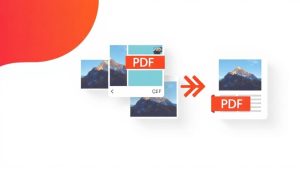
Convert your files from PDF to JPG online and for free. Upload your document and download each page as a high-quality JPG image in seconds, without watermarks, registration, or installing anything.
How to Convert PDF to JPG
- Upload your PDF by dragging it or clicking to select it.
- Click «Convert» and wait a few seconds while we process each page.
- Download your JPG image. If the PDF has multiple pages, you will receive a ZIP file with one image per page.
What is converting PDF to JPG used for?
Converting a PDF to JPG images is ideal when you need to insert a page into a presentation, share it on social media or WhatsApp, upload it to websites that only accept images, or preview the content without opening a PDF reader. Each page is converted into an independent JPG at 150 DPI, a perfect balance between clarity and file size.
Advantages of our PDF to JPG converter
- Free and unlimited, no watermarks.
- High quality (150 DPI, 90% JPG).
- Multi-page: one JPG per page, packaged in ZIP.
- Private and secure: files are automatically deleted from the server after conversion.
- No installation required: works in the browser, also from mobile devices.
Frequently Asked Questions about Converting PDF to JPG
Are all pages converted?
Yes. Each page of the PDF is transformed into a JPG image. If there are multiple pages, you will receive them together in a ZIP file.
Does the image lose quality?
We generate the JPGs at 150 DPI with a quality of 90, sufficient for screen viewing and light printing without the file being too heavy.
Is it safe to upload my documents?
Yes, the processing is private, and files are automatically deleted from our servers shortly after conversion.
Can I do this from my mobile phone?
Of course, it works from any Android or iPhone browser without installing apps.
Other PDF Tools
Explore the rest of our tools: compress PDF, merge PDF, split PDF, images to PDF, PDF to Word, and PDF to Excel.